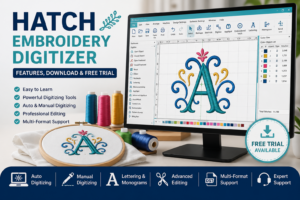
Whether you’re new to embroidery digitizing or an experienced designer, choosing the right software can make a huge difference in the quality of your work. Hatch Embroidery Digitizer is one of the most popular embroidery software solutions available today because of its user-friendly interface, powerful digitizing tools, and professional editing features.
Designed by Wilcom, Hatch allows hobbyists, small businesses, and professional digitizers to create high-quality embroidery designs without the steep learning curve found in many advanced programs. From converting artwork into embroidery files to editing existing designs, the software offers everything needed to produce professional machine embroidery.
In this guide, you’ll learn everything about Hatch Embroidery Digitizer, including its features, official download options, pricing, free trial, system requirements, installation process, advantages, disadvantages, and whether it’s the right embroidery software for your needs.
Table of Contents
- What Is Hatch Embroidery Digitizer?
- Key Features of Hatch Embroidery Digitizer
- Who Should Use Hatch Embroidery Digitizer?
- Official Download & Free Trial
- System Requirements
- How to Install Hatch Embroidery Digitizer
- Hatch Embroidery Digitizer Pricing
- Hatch vs Wilcom EmbroideryStudio
- Pros and Cons
- Is Hatch Embroidery Digitizer Worth It?
- Frequently Asked Questions
- Final Thoughts
What Is Hatch Embroidery Digitizer?
Hatch Embroidery Digitizer is professional embroidery software developed by Wilcom. It allows users to create, edit, resize, and customize embroidery designs for commercial and home embroidery machines.
Unlike basic embroidery editing software, Hatch offers advanced digitizing tools that help transform logos, artwork, and images into production-ready embroidery files. Whether you’re creating left chest logos, cap embroidery, jacket back designs, patches, or monograms, Hatch provides all the essential tools in one package.
Many embroidery businesses use Hatch because it combines powerful features with an easy-to-use interface, making it suitable for both beginners and professionals.
https://a1digitizing.com/embroidery-digitizing-services/
Key Features of Hatch Embroidery Digitizer
One of the biggest reasons why Hatch Embroidery Digitizer is so popular is its extensive collection of embroidery tools.
Automatic Digitizing
Convert logos and images into embroidery designs with just a few clicks. The software automatically generates stitches that can later be refined manually for better results.
Manual Digitizing Tools
Professional users can create custom embroidery designs from scratch using satin stitches, fill stitches, run stitches, motif fills, and decorative stitching techniques.
Lettering & Monograms
Hatch includes a large collection of professional embroidery fonts. You can easily create personalized names, business logos, uniforms, and monograms without purchasing additional font packs.
Design Editing
Users can:
- Resize embroidery designs
- Change thread colors
- Edit stitch density
- Rotate and mirror objects
- Combine multiple embroidery files
- Modify lettering
- Remove unnecessary stitches
Multi-Format File Support
Hatch supports many popular embroidery machine formats, including:
- DST
- PES
- EXP
- JEF
- VP3
- HUS
- XXX
- EMB
This compatibility makes it suitable for most commercial and home embroidery machines.
https://a1digitizing.com/how-to-convert-a-logo-to-dst-file/
Who Should Use Hatch Embroidery Digitizer?
Hatch is designed for users with different experience levels.
It is an excellent choice for:
- Beginners learning embroidery digitizing
- Home embroidery hobbyists
- Small embroidery businesses
- Professional embroidery digitizers
- Custom apparel shops
- Promotional product companies
- Patch manufacturers
- Uniform suppliers
If your work involves creating custom embroidery designs regularly, Hatch Embroidery Digitizer offers the flexibility and tools needed to produce clean, professional results.
Official Download & Free Trial
The safest way to get Hatch Embroidery Digitizer is through the official Hatch Embroidery website. The software offers a free trial, allowing users to explore its features before purchasing a license.
The trial version lets you test the interface, create embroidery designs, and understand the software’s workflow. This is a great option if you’re comparing different embroidery software before making a decision.
Always download the software from the official source to ensure you receive the latest version, security updates, and customer support.
External DoFollow Link:
https://hatchembroidery.com/
System Requirements for Hatch Embroidery Digitizer
Before downloading Hatch Embroidery Digitizer, make sure your computer meets the recommended system requirements. Running the software on compatible hardware ensures smoother performance, faster design processing, and fewer installation issues.
Windows Requirements
- Windows 10 or Windows 11 (64-bit)
- Intel Core i5 processor or higher
- Minimum 8 GB RAM (16 GB recommended)
- At least 40 GB of available storage
- Dedicated graphics card recommended for better performance
- Stable internet connection for activation and updates
macOS Users
Hatch Embroidery Digitizer is primarily designed for Windows. Mac users can run the software using virtualization tools or Windows installed through supported methods, but checking the latest compatibility information on the official Hatch website is recommended.
If you work on large embroidery projects or detailed logo digitizing, investing in a computer with more RAM and a faster processor will significantly improve your workflow.
How to Install Hatch Embroidery Digitizer
Installing Hatch Embroidery Digitizer is straightforward when using the official installer.
Step 1: Download the Software
Visit the official Hatch Embroidery website and download the latest version of Hatch Embroidery Digitizer.
Step 2: Run the Installer
Locate the downloaded installation file and launch it with administrator privileges.
Step 3: Follow the Installation Wizard
Accept the license agreement and choose the installation location on your computer.
Step 4: Sign In or Activate
If you’re using the free trial, simply sign in with your Hatch account. If you’ve purchased a license, enter your activation details to unlock the full version.
Step 5: Complete Setup
Once installation is finished, restart your computer if prompted and launch the software to begin creating embroidery designs.
Using the official installer ensures you receive software updates, security improvements, and technical support.
Hatch Embroidery Digitizer Pricing
Hatch offers different software levels depending on your embroidery needs. Pricing may vary during promotions or regional offers, but users generally have the option to start with a free trial before purchasing.
When comparing embroidery software, consider the following factors:
- Available digitizing tools
- Lettering features
- Editing capabilities
- Supported embroidery formats
- Future software updates
- Customer support
Although Hatch requires an investment, many embroidery businesses find it worthwhile because it reduces production time and helps create cleaner embroidery files.
Hatch Embroidery Digitizer vs Wilcom EmbroideryStudio
Many people compare Hatch Embroidery Digitizer with Wilcom EmbroideryStudio because both are developed by Wilcom.
| Feature | Hatch Embroidery Digitizer | Wilcom EmbroideryStudio |
|---|---|---|
| Beginner Friendly | ✅ Yes | ❌ Steeper learning curve |
| Professional Digitizing | ✅ Yes | ✅ Excellent |
| Home Users | ✅ Ideal | ❌ Less suitable |
| Commercial Production | ✅ Good | ✅ Best |
| Ease of Use | ⭐⭐⭐⭐⭐ | ⭐⭐⭐⭐ |
| Price | More Affordable | Premium Pricing |
If you’re starting an embroidery business or working from home, Hatch is often the better choice because it combines professional features with a simpler interface.
Large embroidery production companies that require advanced automation and industrial workflows may prefer Wilcom EmbroideryStudio.
Advantages of Hatch Embroidery Digitizer
There are several reasons why embroidery professionals choose Hatch.
Easy to Learn
The interface is clean and beginner-friendly, allowing new users to start digitizing quickly.
Powerful Editing Tools
You can resize, reshape, edit lettering, change stitch angles, and optimize embroidery designs without starting from scratch.
Excellent Auto Digitizing
Its automatic digitizing tools help convert logos into embroidery files within minutes, saving valuable production time.
Wide Machine Compatibility
The software exports designs in multiple embroidery formats, making it compatible with most commercial and home embroidery machines.
Regular Updates
Official users receive software improvements, bug fixes, and access to technical support.
Limitations of Hatch Embroidery Digitizer
While Hatch is an excellent embroidery program, it’s important to understand its limitations.
- It is primarily designed for Windows.
- The full version requires purchasing a license.
- Auto-digitized designs often need manual editing for professional-quality results.
- Large and highly detailed artwork may require advanced digitizing knowledge.
Understanding these limitations helps users decide whether Hatch is the right solution for their embroidery projects.
Real-World Applications
Hatch Embroidery Digitizer is suitable for a wide range of embroidery projects, including:
- Company logo embroidery
- Left chest logo digitizing
- Hat and cap embroidery
- Jacket back designs
- Uniform embroidery
- Sports team logos
- Custom patches
- Monograms
- Personalized gifts
- Promotional products
Businesses that regularly create embroidery files can significantly improve efficiency by using professional software like Hatch.
https://a1digitizing.com/left-chest-logo-size-guide-for-embroidery/
Is Hatch Embroidery Digitizer Worth It?
If you’re looking for embroidery software that balances ease of use with professional-level features, Hatch Embroidery Digitizer is an excellent choice. It provides everything needed to create, edit, and customize embroidery designs without the steep learning curve of some advanced software.
For hobbyists, small embroidery shops, and growing businesses, Hatch offers outstanding value. Features like automatic digitizing, professional lettering, stitch editing, and support for multiple embroidery file formats make it suitable for a wide range of projects.
However, if your business handles high-volume industrial production or requires advanced automation, you may eventually consider upgrading to Wilcom EmbroideryStudio. For most users, though, Hatch delivers more than enough power for everyday embroidery digitizing.
The free trial is also a great way to explore the software before making a purchase. By testing its tools and workflow, you can decide whether it fits your embroidery needs.
Frequently Asked Questions
Is Hatch Embroidery Digitizer good for beginners?
Yes. Hatch Embroidery Digitizer is designed with an easy-to-use interface, making it one of the best embroidery software options for beginners while still offering advanced tools for experienced users.
Can Hatch create DST files?
Yes. Hatch supports many embroidery file formats, including DST, PES, EXP, JEF, VP3, HUS, XXX, and EMB.
Does Hatch offer a free trial?
Yes. Hatch provides an official free trial so users can test the software before purchasing a license.
Can I convert a logo into embroidery using Hatch?
Yes. Hatch includes automatic and manual digitizing tools that allow users to convert logos and artwork into embroidery-ready files. For the best stitch quality, manual adjustments are often recommended after auto-digitizing.
Is Hatch better than Wilcom?
It depends on your needs. Hatch is easier to learn and more affordable, making it ideal for beginners and small businesses. Wilcom EmbroideryStudio offers more advanced features for large-scale commercial production.
Which embroidery machines work with Hatch?
Hatch supports file formats compatible with many popular embroidery machine brands, including Brother, Janome, Bernina, Baby Lock, Husqvarna Viking, Tajima, Barudan, and others.
Final Thoughts
Hatch Embroidery Digitizer is one of the most reliable embroidery software solutions available today. Whether you’re creating company logos, personalized gifts, patches, uniforms, or commercial embroidery designs, it provides the tools needed to produce clean and professional results.
Instead of choosing software based only on price, consider your experience level, project requirements, and long-term business goals. Taking advantage of the official free trial is an excellent way to explore the software before investing.
If you need production-ready embroidery files without spending hours learning software, professional digitizing services can save time and ensure high-quality stitch results.
Need Professional Embroidery Digitizing?
At A1 Digitizing, we provide high-quality embroidery digitizing services for businesses, apparel brands, embroidery shops, and individuals across the USA and worldwide.
Our services include:
- Left Chest Logo Digitizing
- Cap & Hat Digitizing
- Jacket Back Digitizing
- 3D Puff Embroidery Digitizing
- Custom Patch Digitizing
- Appliqué Digitizing
- Logo to DST File Conversion
- Fast Turnaround
- Competitive Pricing
- Support for DST, PES, EXP, JEF, VP3, HUS, XXX, and more
Whether you have a simple logo or a complex design, our experienced digitizers ensure clean stitches and smooth machine performance.